What Is AI Face Swap and When Should You Use It?
A plain-English guide to AI face swap: what it does well, where it can go wrong, and when it makes sense to use it.
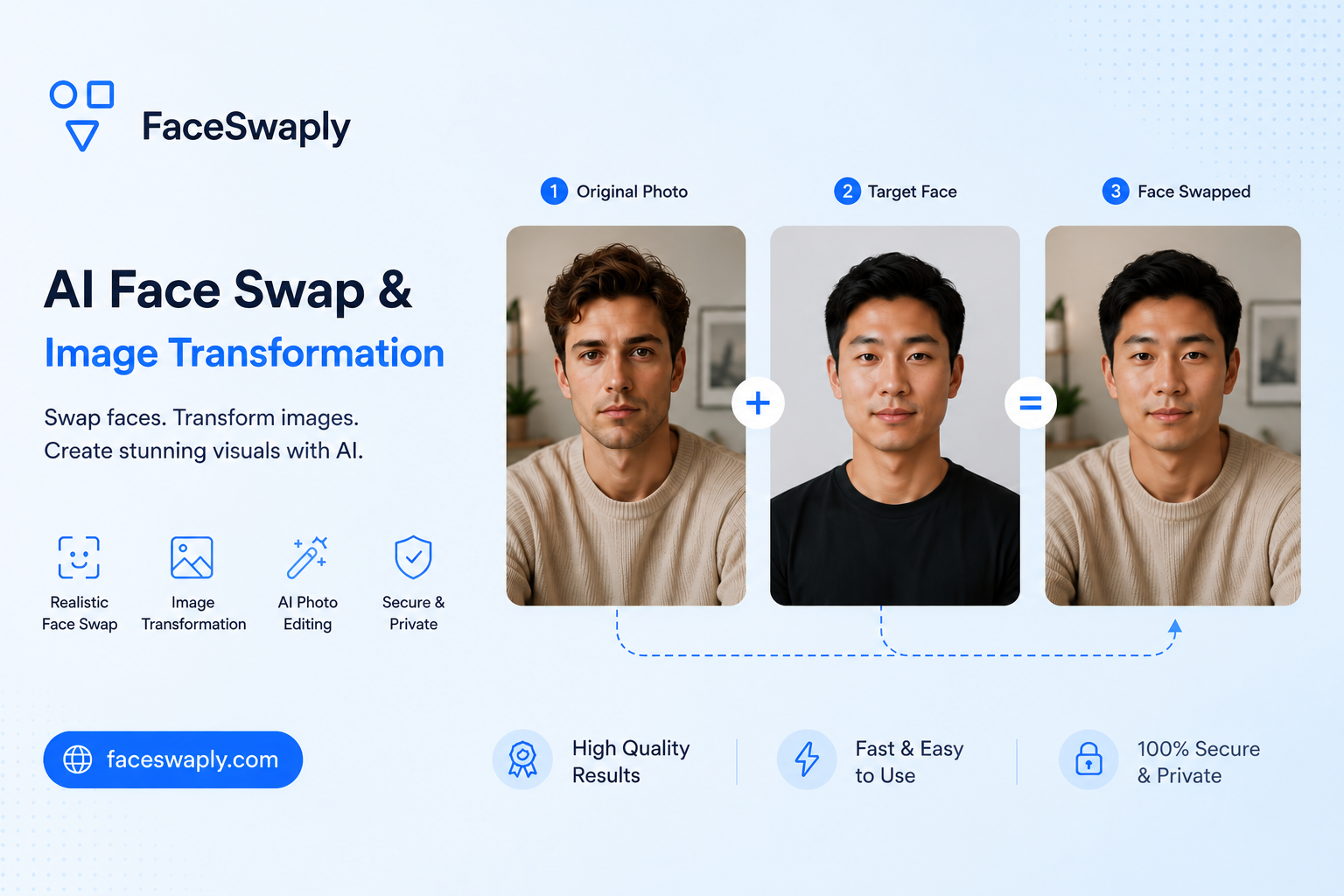
AI face swap is a photo editing workflow that places a face from one image onto a person in another image. It is useful when you want to make a fun edit, preview a creative idea, restore an old concept, or test how a face looks in a different scene.
It is not magic, though. The result depends heavily on the photos you upload, especially lighting, angle, facial clarity, and how much of the face is covered.
If you want to try it with your own image, FaceSwaply has a focused AI Face Swap tool built for this workflow.
What AI face swap is good for
AI face swap works best when the goal is simple: keep the target photo mostly the same, but replace the face in a natural-looking way.
Common use cases include:
- Making a funny photo with friends
- Testing a cosplay, movie poster, or social media idea
- Creating a themed profile image
- Reworking a photo concept without a full photo shoot
- Trying a visual idea before spending more time on editing
For casual creative use, it can be fast and surprisingly useful. You can upload a source face, upload the image you want to edit, and compare the result within the same workflow.
When face swap works well
The best results usually come from photos where the face is clear and easy to read.
A good source face usually has:
- A front-facing or slightly angled face
- Clear eyes, nose, and mouth
- Balanced lighting
- No heavy blur
- No large sunglasses, masks, or hair covering the face
A good target photo usually has:
- A visible face area
- Similar face direction to the source image
- Enough resolution for the face details
- Lighting that is not too harsh or too dark
The two photos do not need to be identical. But if one face is looking straight at the camera and the other is turned far to the side, the result may feel less natural.
When face swap may not be the right tool
AI face swap is not the best choice for every image transformation.
It may not work well if:
- The target face is very small in the image
- The target image has strong shadows across the face
- The source photo is blurry or low resolution
- The face is partly hidden by hands, hair, glasses, or objects
- You need full body editing, clothing changes, or background redesign
For other image transformation needs, a dedicated tool may make more sense. For example, if you want to preview a haircut or hair color, use an AI Hairstyle Generator. If you want a business profile image, use an AI Headshot Generator.
A simple way to think about quality
A face swap result has to do two jobs at the same time:
- It should preserve enough of the source person's face.
- It should still fit the pose, lighting, and style of the target photo.
If the source and target photos are too different, the tool has to make more guesses. More guessing usually means more visible artifacts.
That is why photo choice matters more than most people expect. A clear selfie often works better than a dramatic photo with heavy shadows.
Good uses and bad uses
Face swap is best used with consent and common sense.
Good uses include personal edits, parody, creative tests, and images where everyone involved is comfortable with the result. Bad uses include impersonation, harassment, misleading people, or editing someone's face into a context they would not agree to.
If an image could confuse people about what really happened, add context or avoid sharing it publicly.
How to start
Start with a simple test:
- Pick a clear source face.
- Pick a target image where the face is visible.
- Avoid extreme angles for the first attempt.
- Generate one result.
- If it looks off, try a cleaner source image before changing anything else.
Small changes in photo quality can make a bigger difference than changing the prompt or trying many random images.
FAQ
Does AI face swap change the whole photo?
Usually no. The main goal is to replace the face while keeping the target photo's body, pose, background, and general style.
Do I need a professional photo?
No. A clear everyday photo is often enough. The important part is that the face is visible, sharp, and not heavily covered.
Why does my face swap look unnatural?
The most common reasons are mismatched face angles, poor lighting, blur, low resolution, or a target face that is too small.
Can I use AI face swap for professional images?
Sometimes, but it depends on the use case. For a business profile image, a dedicated AI professional headshot generator is usually a better fit.
What should I try first?
Use a simple portrait-style source photo and a target image with a clear face. You can test it in FaceSwaply's AI Face Swap tool.
Read More
Face Swap Online: Common Mistakes to Avoid
A practical guide to common AI face swap mistakes, why they happen, and how to choose better photos for more natural results.
How to Choose the Best Photos for AI Face Swap
Learn which source and target photos work best for AI face swap, with simple tips for lighting, angle, sharpness, and face size.
Is AI Face Swap Safe? Privacy, Consent, and Good Use Cases
A practical guide to using AI face swap safely, including privacy checks, consent, sharing risks, and responsible creative use cases.