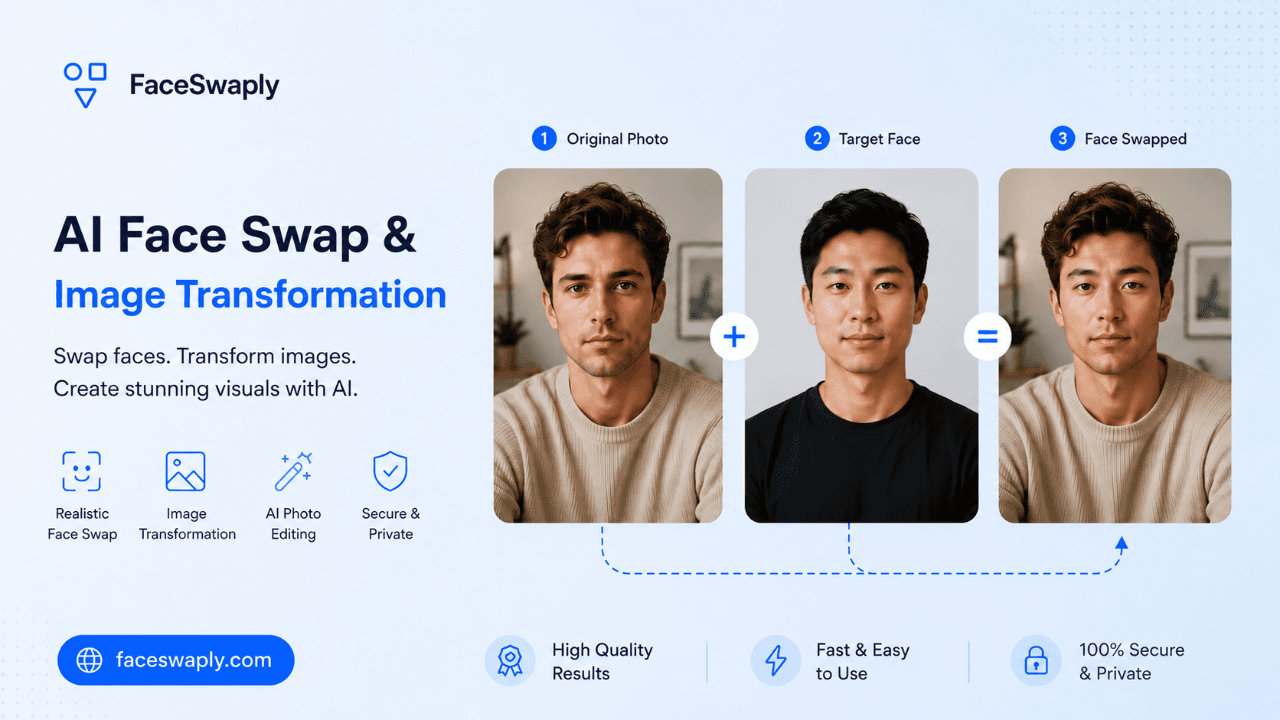
AI Face Swap for Realistic Photo Transformations
Upload a source face and a target photo to create a natural face swap, then refine the image with focused tools for face repair, image upscaling, hairstyle previews, headshots, and portrait cleanup.
Click to upload
JPG, PNG or WEBP, max 5MB
Click to upload
JPG, PNG or WEBP, max 5MB
Try one of these original images


For best results, use one clear face in the original image.
Choose the AI photo workflow you need
Start with the face swap tool, or jump to a focused workflow when you need video swaps, sharper portraits, hairstyle previews, professional headshots, image restoration, or higher-resolution results.

AI Face Swap
Move one source face into a target photo while keeping the target pose, framing, and scene.

Video Face Swap
Replace a face in a short video while the original clip keeps its motion and camera angle.

AI Headshot Generator
Turn a portrait into a cleaner professional headshot for profiles, resumes, and team pages.

AI Hairstyle Generator
Preview haircuts and hair colors from a portrait before trying a real-world style change.

AI Image Upscaler
Make an uploaded image sharper and higher resolution when the original is too small or soft.

AI Face Retoucher
Smooth skin, reduce blemishes, and polish a portrait without rebuilding the whole photo.
From believable swaps to finished portraits
FaceSwaply starts with face swap, then gives you focused follow-up tools when the portrait needs repair, clarity, or a more professional final look.
Keep the target photo believable
The target image should keep its pose, camera angle, background, and composition. FaceSwaply focuses the transformation on the face instead of changing the whole scene.
- Target pose stays intact
- Background remains consistent
- One clear swapped result

Restore soft or damaged faces
Use Restore Face when a swapped face, old portrait, or AI-generated face looks blurry, soft, or low-detail and needs clearer facial features.
- Recover facial detail
- Sharpen blurry portraits
- Repair old or AI-generated faces

Create a polished professional headshot
Turn an existing portrait into a cleaner AI headshot for profiles, resumes, team pages, and business introductions.
- Profile-ready portrait
- Resume and LinkedIn use
- Business headshot workflow
Real photo transformation scenarios FaceSwaply covers
Use FaceSwaply when you already have photos or video clips and want to change a person, improve portrait quality, or prepare an image for a specific use. Current tools cover photo face swap, video face swap, portrait retouching, Image Upscaler, professional headshots, hairstyle previews, photo restoration, and more image-first workflows.
Photo and video face swaps
Place one face into a target photo or short video for profile ideas, character mockups, poster drafts, and motion tests.
Portrait quality repair
When a swap, old photo, or low-resolution portrait needs more clarity, continue with face restoration, retouching, and upscaling tools.
Profile and identity previews
Use hairstyle previews, hair color tests, and AI headshots to turn an existing portrait into a cleaner profile, resume, or social image.
More image transformation workflows
FaceSwaply can keep expanding around people, outfits, social visuals, and photo repair so existing media can move into more specific creative workflows.
How to get a better face swap result
The fastest way to improve quality is to start with the right source face and target photo.
Upload a clear source face
Use a sharp, well-lit face photo with visible eyes, nose, mouth, and jawline.
Choose a compatible target photo
Pick a target where the face area is visible and not heavily blocked by hands, hair, sunglasses, or harsh shadows.
Generate, review, and refine
Run the swap, download the result, or send it into restoration, retouching, or upscaling if the final image needs polish.
AI face swap quality depends on the photos you start with
The most convincing face swaps usually come from a clear source face and a target photo with a visible face area. Similar head angle, balanced lighting, and enough resolution help the generated face blend into the original scene.
FaceSwaply is designed for photo-first transformations. Instead of asking you to describe a person from scratch, the workflow uses the images you upload: one face to transfer and one photo or video to receive it.
After generation, the best next step depends on the weakness of the result. Use Restore Face for soft facial details, Face Retoucher for skin cleanup, Image Upscaler for low-resolution outputs, and Headshot or Hairstyle tools when you need a more specific portrait style.
Pricing
Simple, Transparent Pricing
Start with available free credits, then choose a subscription or credit pack when you need more generations.
Billed monthly • 600 credits
What's Included
- 600 credits each month for supported AI photo tools
- Access to face swap, AI headshot, hairstyle, and hair color workflows
- Generated content is supported across all plans
- Standard processing queue
- 30-day generated image storage retention
- Email support
- Commercial use rights for generated outputs
Billed monthly • 1,500 credits
What's Included
- 1500 credits each month for supported AI photo tools
- Access to face swap, AI headshot, hairstyle, and hair color workflows
- Generated content is supported across all plans
- Priority processing queue
- 120-day generated image storage retention
- Priority email support
- Commercial use rights for client and business projects
Billed monthly • 4,500 credits
What's Included
- 4500 credits each month for supported AI photo tools
- Access to face swap, AI headshot, hairstyle, and hair color workflows
- Generated content is supported across all plans
- Fastest available processing queue
- 360-day generated image storage retention
- Highest-priority customer support
- Commercial use rights for team and client work
Guides for better AI face swaps
Learn how to choose source photos, avoid common artifacts, handle consent, and decide which image transformation tool fits your project.
FaceSwaply FAQs
Practical answers about face swap quality, credits, privacy, downloads, and supported workflows.
Ready to create your first face swap?
Upload a source face and a target photo, generate the swap, then refine the result with Restore Face, Image Upscaler, or AI Headshot when it needs extra polish.